Constellation
Know what to work on next, across every client.
Constellation, designed and built end to end: one ranked queue across every client, plans that branch like code, ship dates with honest error bars, client messages turned into proposed changes, and a live status page clients check for themselves.
- Next.js
- React
- TypeScript
- Zod
- PostgreSQL
- Redis
- Background jobs
- Gmail & Slack APIs
- Calendar sync
- Stripe API
- WebSockets
- Vercel
- GitHub Actions CI/CD
What it does
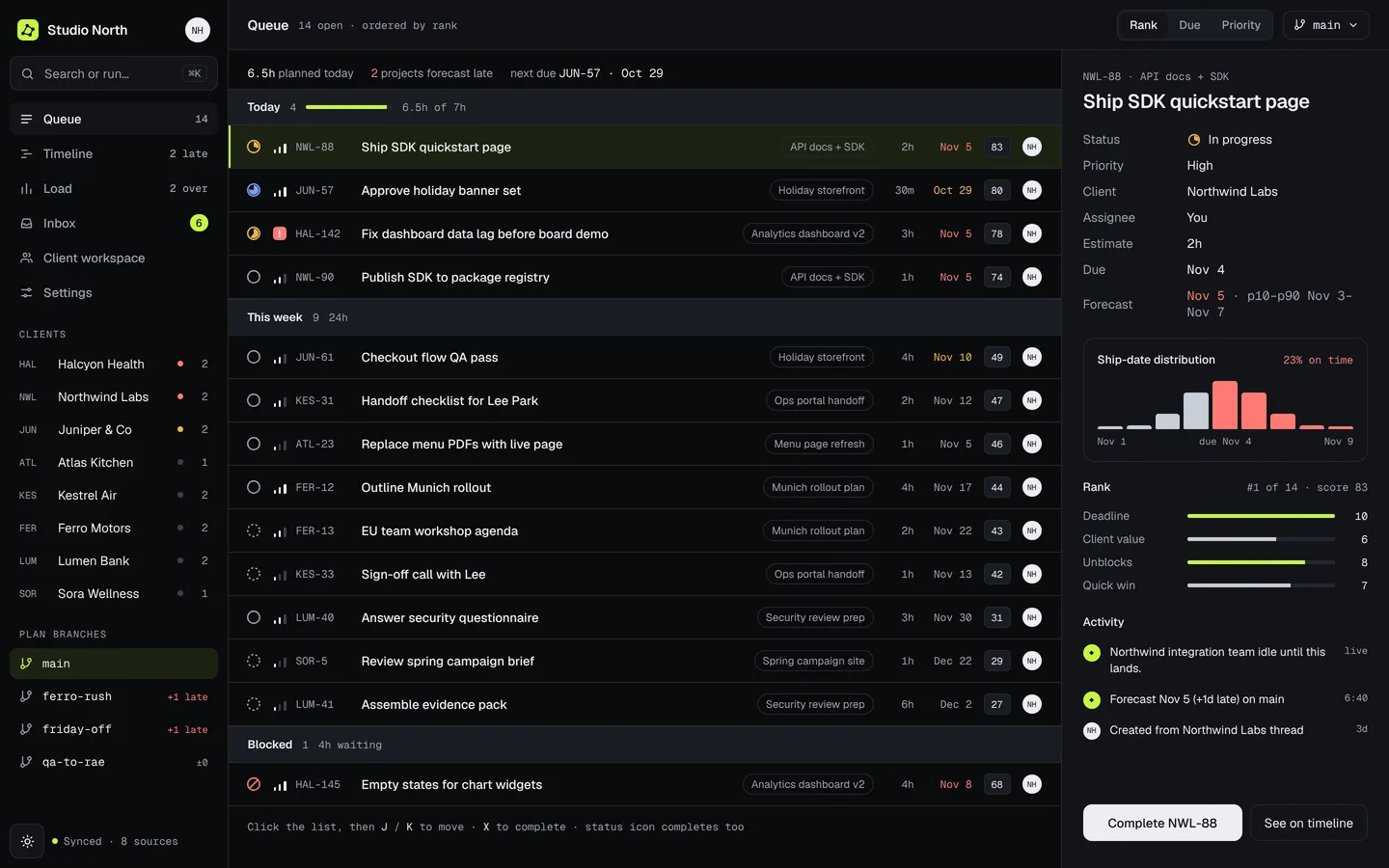
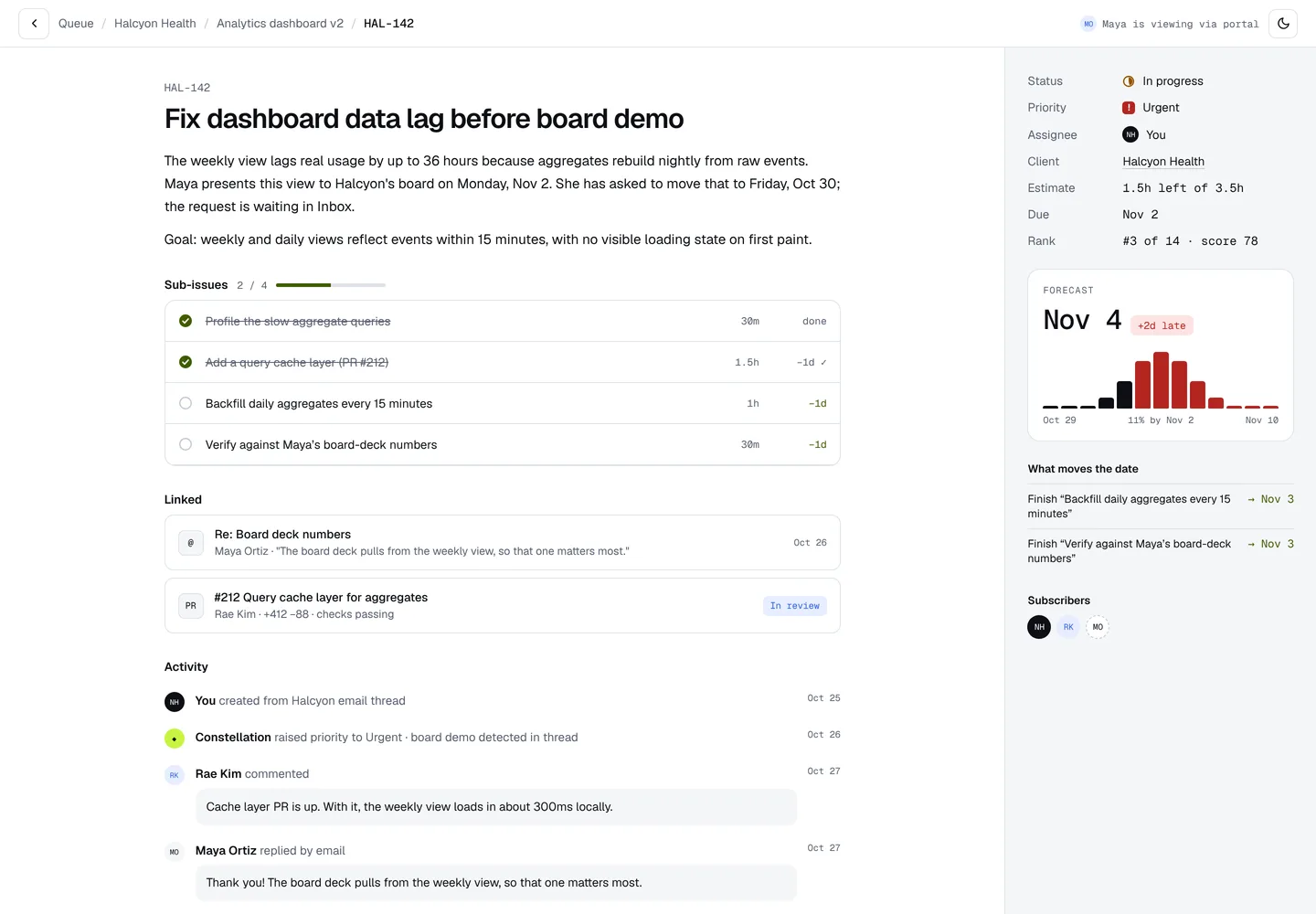
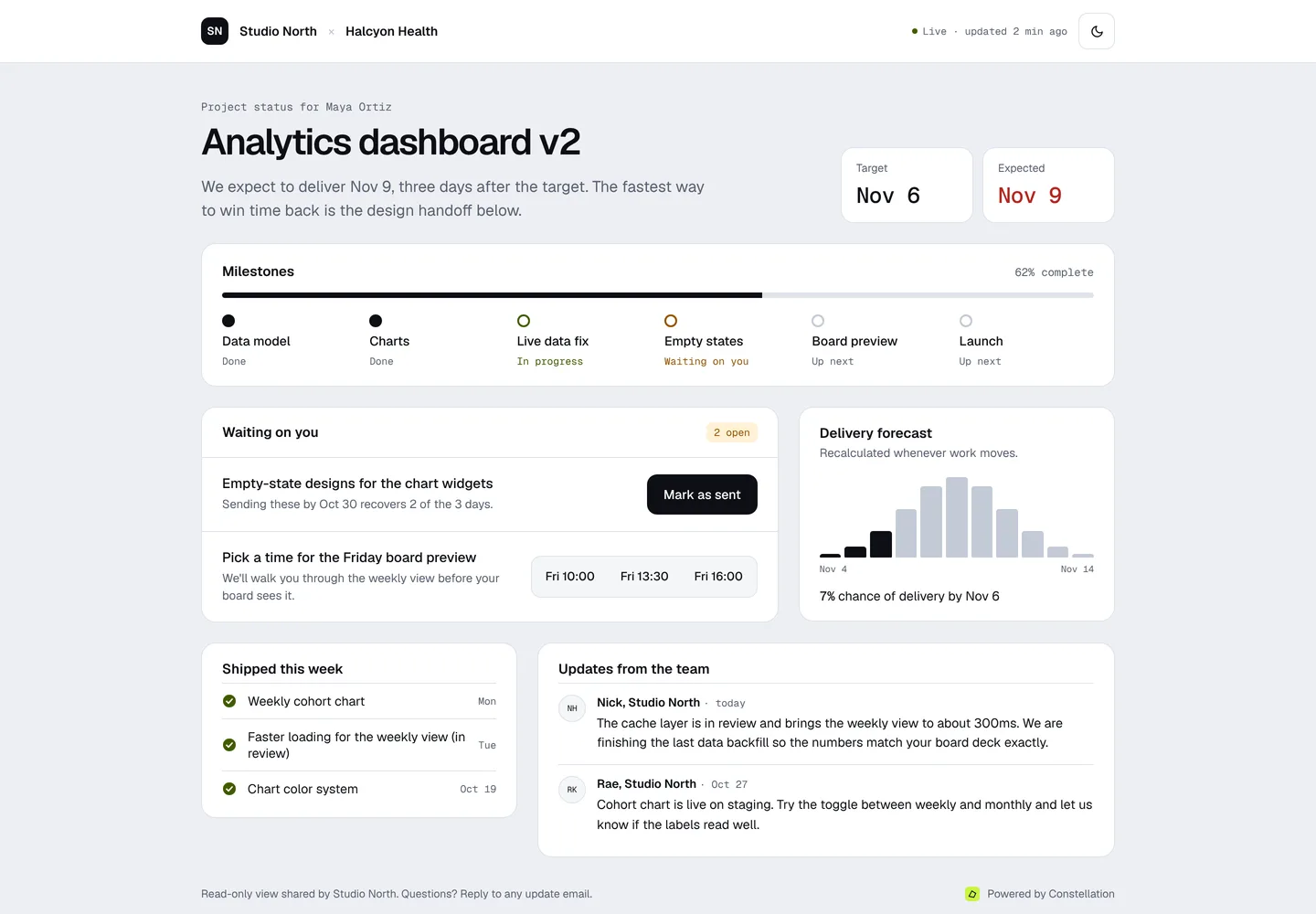
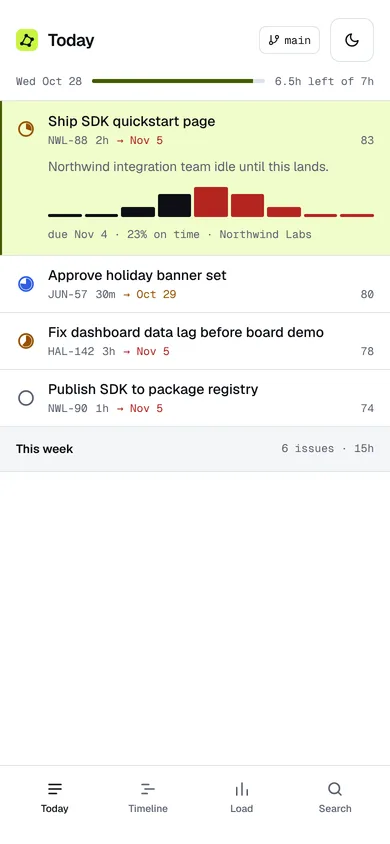
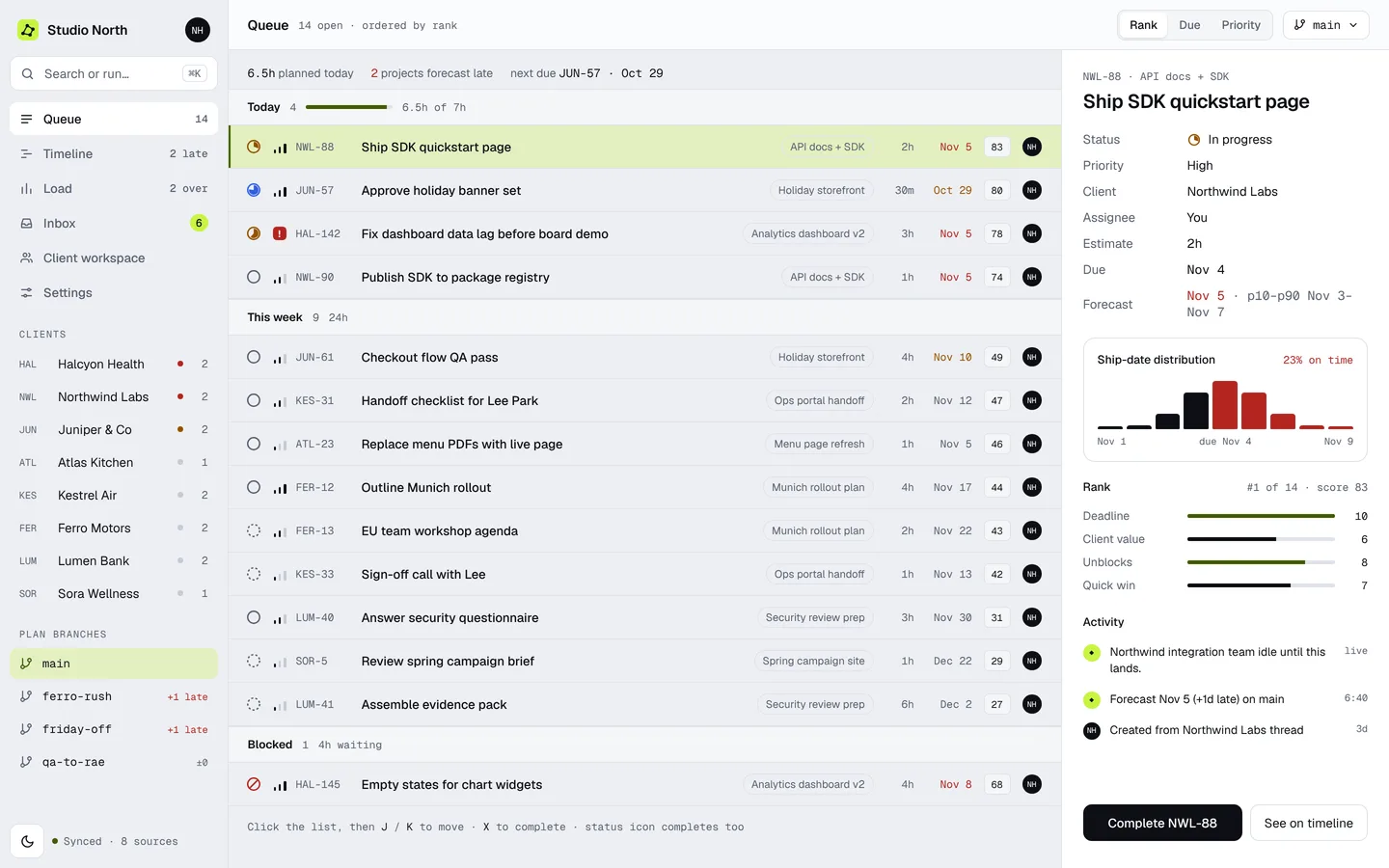
One ranked queue across every client.
Every open issue, scored on deadline, client value, who’s waiting and effort. Change what matters and the queue re-sorts. Try it.
- Today fills itself to your capacity
- Every score shows its reasons
- J / K, X and ⌘K for everything
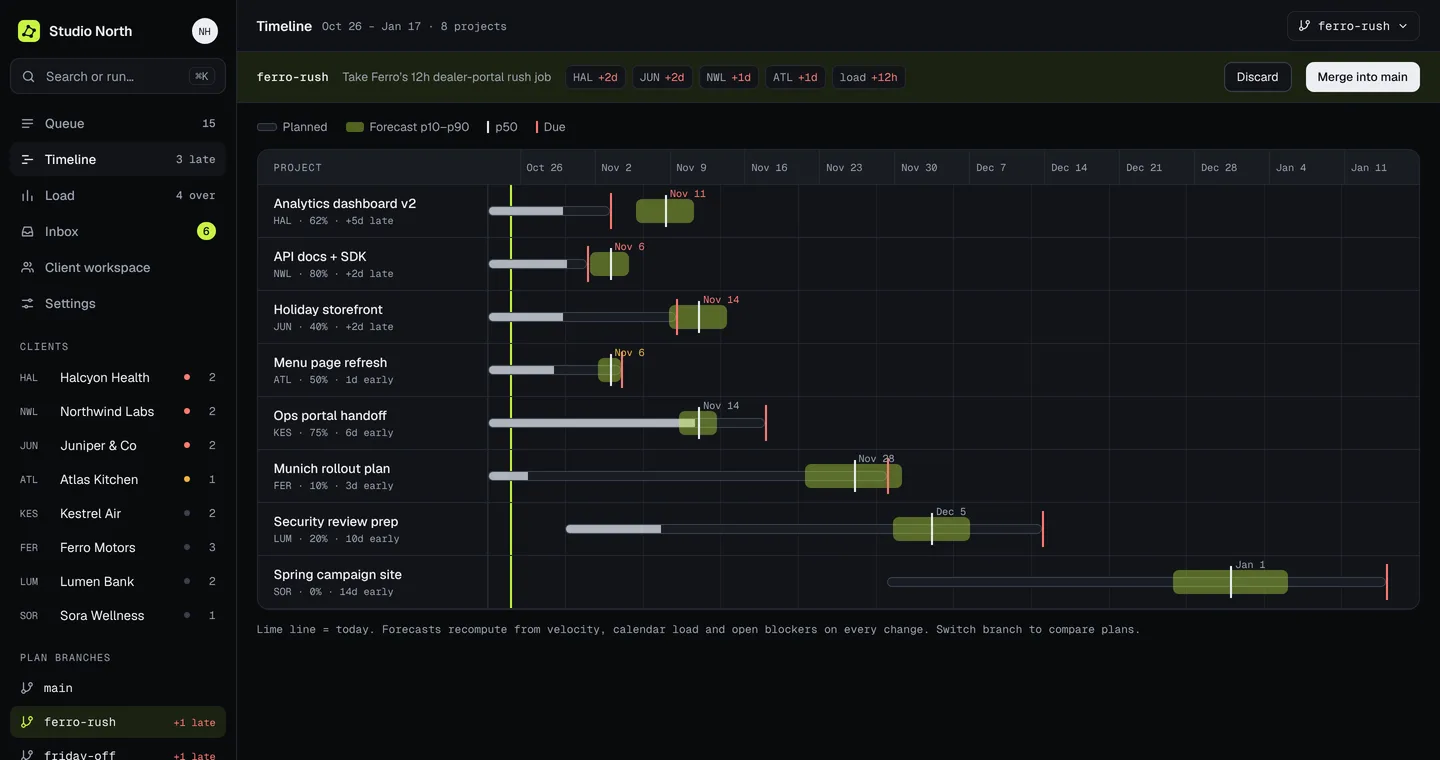
Plans branch like code.
Say yes to the rush job on a branch first. Every forecast moves, and you merge only if the week still works.
- A diff against main before you commit
- Forecasts, load and late count recompute
- Merge or discard in one click
Dates with honest error bars.
Each issue ships on a range, not a guess. Finish a sub-issue and watch the date pull in.
- A p10–p90 range on every date
- The chance of hitting the due date
- Shows which work moves the date
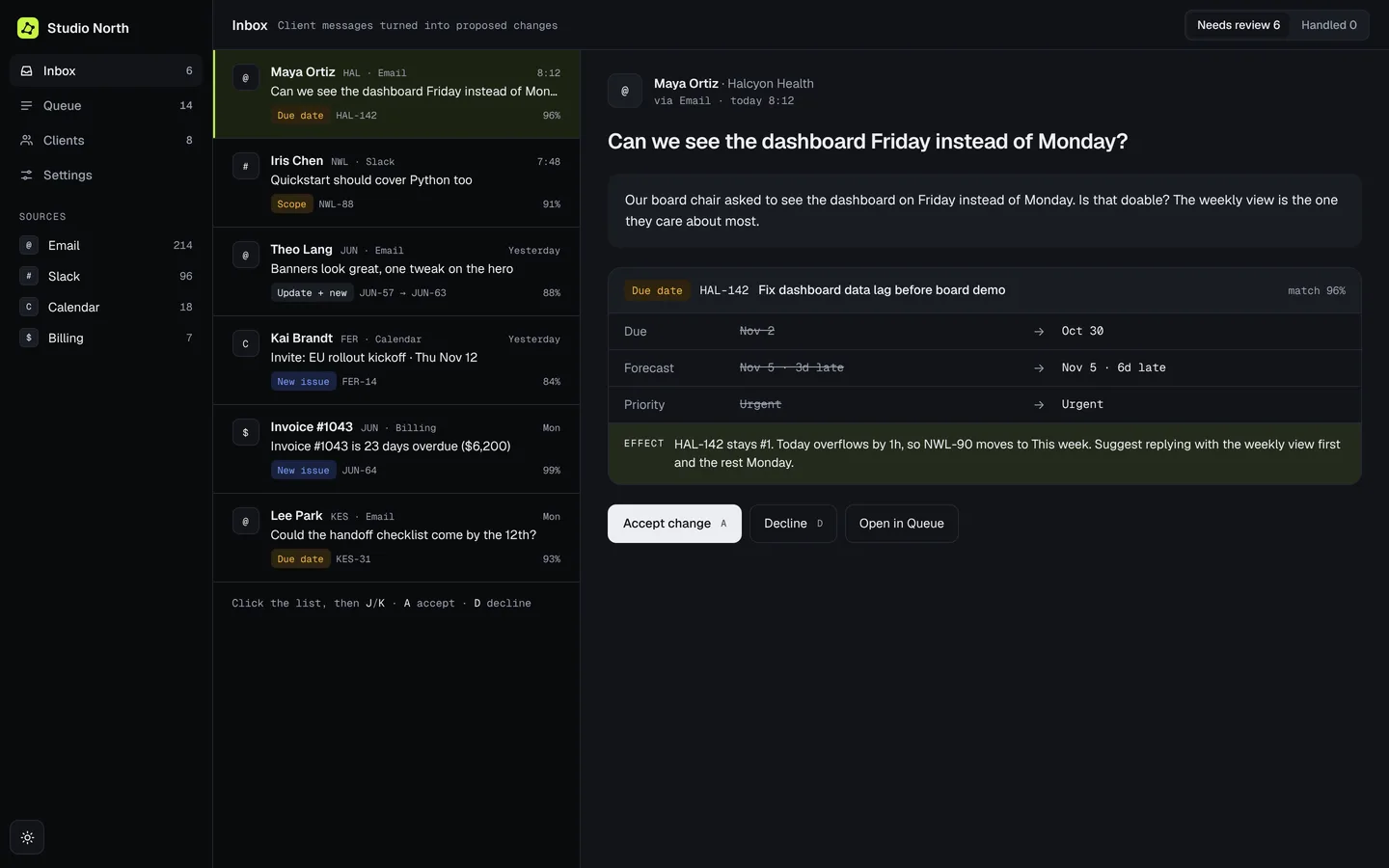
Client messages become proposed changes.
Email, Slack, calendar and billing are read for what they change: a new issue, a moved date, more scope. You accept or decline.
- The effect on your week, shown first
- Nothing changes without a yes
- A and D on the keyboard
The whole quarter, and this week.
Every project’s plan, forecast band and due date on one timeline, and daily hours against capacity underneath.
- Late work is visible weeks early
- Overbooked days turn red
- Same view on every plan branch
Clients see what you see.
A read-only live page per project: status in plain language, milestones, the forecast, and exactly what’s waiting on them.
- Their blockers, with the days they’d recover
- Updates without a status meeting
- No internal ranks, rates or other clients
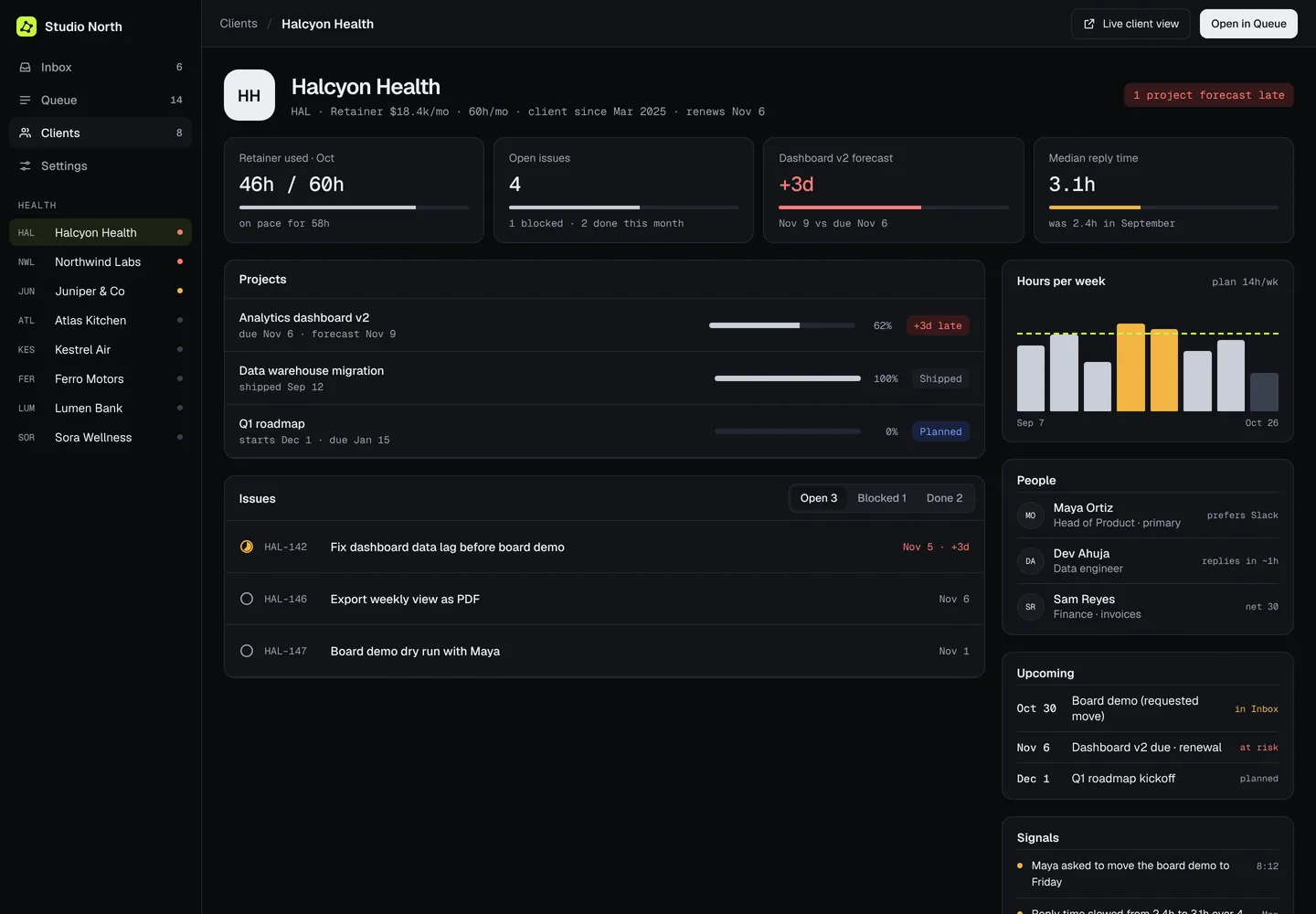
Every client on one page.
Retainer hours, open issues, forecasts, people and the signals worth noticing, like replies getting slower.
- Retainer burn against plan
- Projects and issues with forecasts
- Upcoming dates in one list
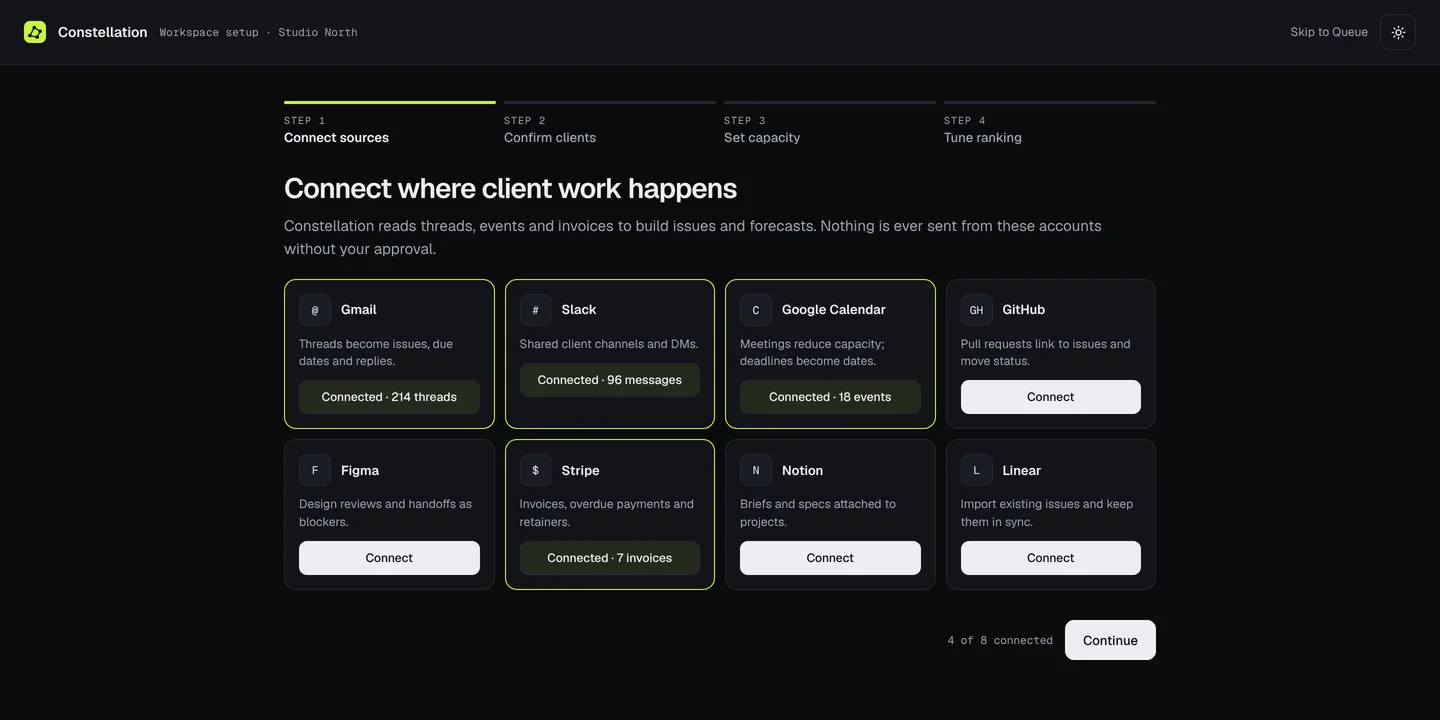
Set up from the tools you already use.
Connect mail, chat, calendar and billing, confirm the clients it finds, set your deep-work hours and tune the ranking.
- Clients detected from real threads
- Capacity set per weekday
- Ranking preview on your own issues
Why it’s built this way.
How is the rank score worked out?
A weighted average of four signals scored 0 to 10: deadline pressure, client value, whether someone is waiting, and effort. You set the weights, and every issue shows its score and the main reason for it, so the order is never a black box.
Why branches instead of a what-if mode?
Because a plan change is a change you might not keep. A branch shows the diff first (which projects slip, by how many days, how many hours it adds) and then you merge it or throw it away, the same way you would with code.
Why forecast a range instead of one date?
One date hides the risk. A p10–p90 band and an on-time percentage make a late project visible weeks earlier, while there’s still time to move work around it.
Does it ever message a client on its own?
No. Intake proposes changes; nothing reaches a client and no date moves without an explicit yes.
What does the client see?
A read-only live page for their project: status in plain language, milestones, the forecast and what’s waiting on them. Never internal ranks, rates or other clients.
Who built it?
Full Stack Technologies, LLC, designed and built end to end. It’s how we’d build your product, too.